






Why Edge Tools?
- Less application glue — Define tools once at the gateway instead of re-implementing them across services.
- Lower latency — Execute tools closer to users and providers to reduce round-trips.
- Stronger control — Centralize permissions, audit logs, and safety policies for tool execution.
Activation and hydration
- In the Edgee Console, open your organization and go to Tools.
- For each tool you want to use, Activate for organization. Once activated, the tool is available for all API keys and the org — but only via the API: you must send
edgee_tool_idsin the request to use it (see Manual edgee tool call below). - Optionally enable hydration so the gateway auto-injects the tool definitions:
- Hydrate for entire org — The gateway adds the tool to every request from the organization. You do not need to send
edgee_tool_idsfor that tool; it is injected automatically. - Hydrate for specific API keys — The gateway adds the tool only for requests using the selected API keys. For those keys, the tool is auto-injected; for others, send
edgee_tool_idsif the tool is activated.
- Hydrate for entire org — The gateway adds the tool to every request from the organization. You do not need to send
edgee_tool_ids with an ID that is not activated or not allowed for the key, the request returns 400 with invalid_edgee_tool_ids.
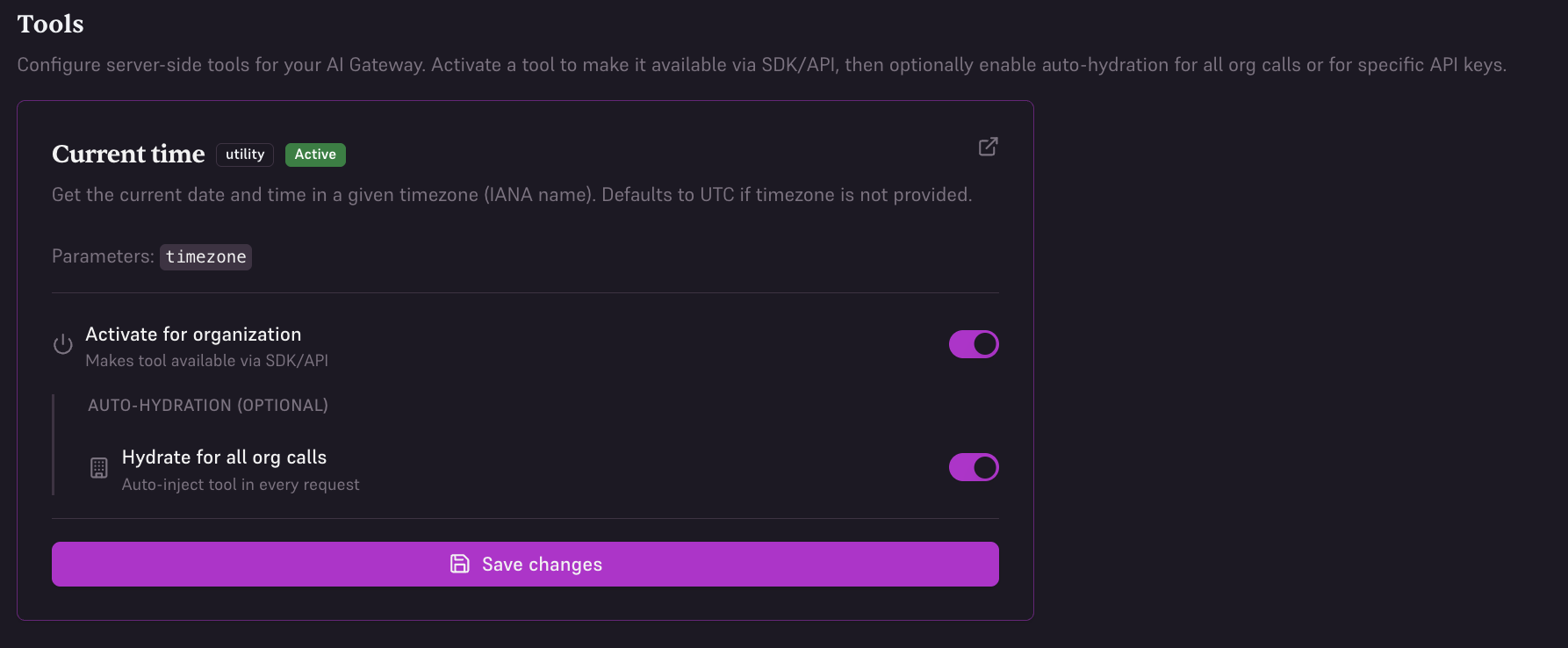
Manual edgee tool call
When a tool is activated but not hydrated for your scope, sendedgee_tool_ids in the completion request body with the list of tool IDs you want (e.g. ["edgee_current_time", "edgee_generate_uuid"]). Copy the tool ID from the console (click to copy next to each tool). When a tool is hydrated for your org or API key, you can omit it from edgee_tool_ids — the gateway injects it automatically.
Example with curl:
edgee_tool_ids in the body when not using hydration):
edgee_tool_ids (or send an empty array), the gateway injects only tools that have hydration enabled for your org or API key. If you send edgee_tool_ids, those IDs are validated: any ID that is not activated or not allowed for your API key returns 400 with code invalid_edgee_tool_ids and a message listing the invalid IDs.
Available tools
These shared tools are available today. All Edge Tools use theedgee_ prefix.
-
edgee_current_time— Get the current date and time in a given timezone (IANA name). Defaults to UTC if not provided. Parameters:timezone(optional string) — IANA timezone, e.g.America/New_York,Europe/London,Asia/Tokyo. -
edgee_generate_uuid— Generate a random UUID (v4). Parameters: None.
edgee_current_time with {"timezone": "Europe/Paris"}, the gateway returns the current time in Paris. If the model calls edgee_generate_uuid, the gateway returns a new UUID.